

We’ve already talked a little about traditional SQL databases and how they work, but in this section we’ll dive a bit deeper and compare them with the document model that powers MongoDB. Let’s jump in!
As mentioned, early relational databases were invented in the 1970s, and soon after SQL, was introduced as a way for users to interact with the database via queries. Back then, storage was one of the most expensive components of computing. As such, traditional SQL databases were designed to minimize the space required for storing data. To do this, data is split into smaller tables with “keys” used to reference the unique values stored in another table. This is known as normalizing the data and it works great for minimizing the storage required because you can store redundant values only once in a table and reference them in other tables.
For instance, if we were to store a purchase history for a company’s inventory, we wouldn’t want to store the vendor’s address and phone number over and over again. We can separate the vendor’s information and assign a VendorID value to represent each vendor. This allows us to store the vendor’s details once and simply reference the VendorID number when we make an order from them.
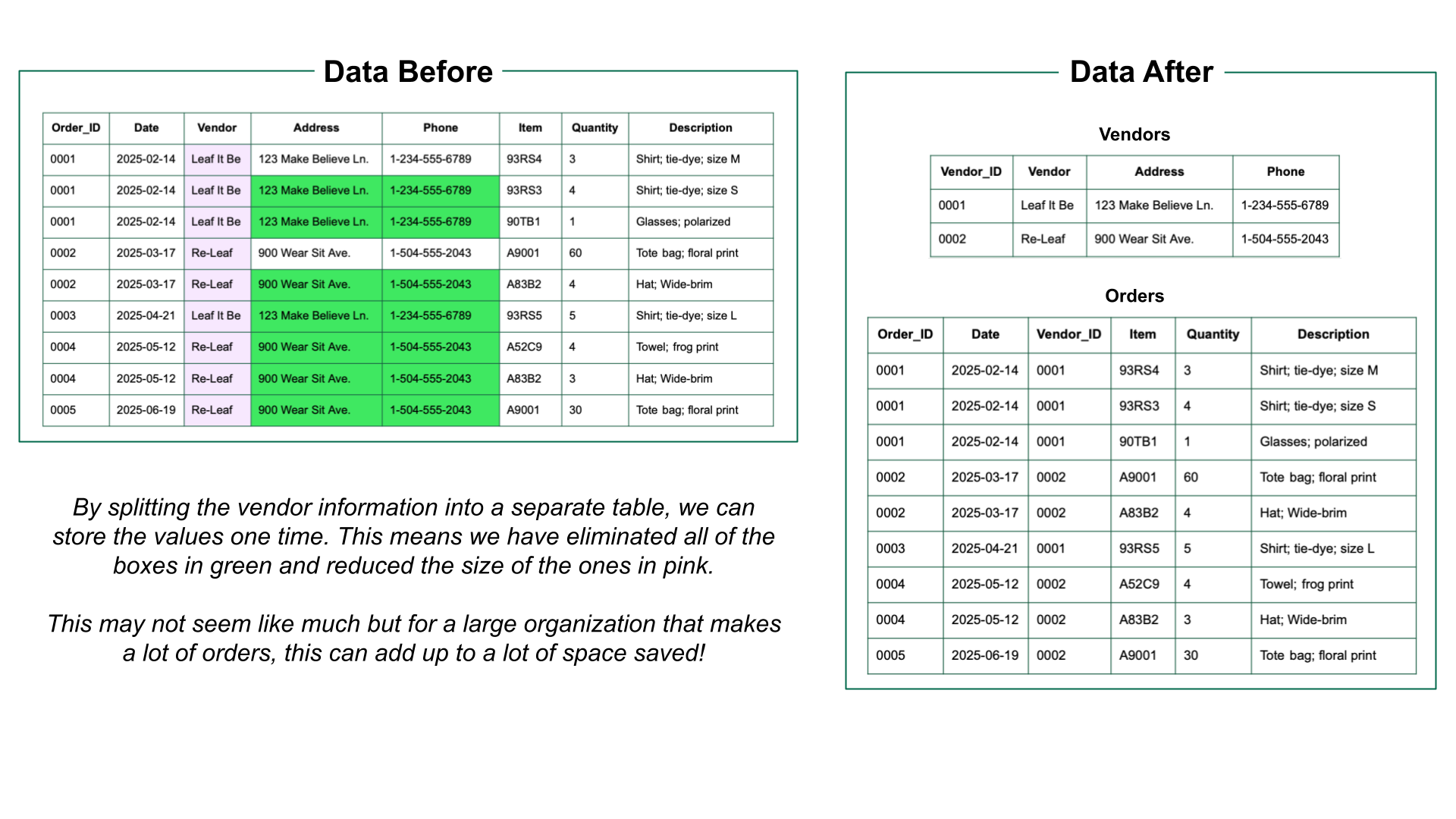
When users query for values, the relevant values are joined from different tables. These joins require the DBMS to find the relevant data and put it back together before returning the query results. This requires significant compute resources which are also needed for other database tasks. This is why joins are considered “computationally expensive.” SQL databases prioritize saving storage at the cost of compute resources, which was beneficial given the hardware available in the 1970s.
Over time, hardware has changed significantly, as have the use cases and requirements for data storage. The types of data recorded have also changed over time with the proliferation of the world wide web in the 1990s and advancements in personal computing.
In modern times, storage is no longer the most expensive component and we are often limited by the compute available. We have more data being collected from a wide range of sources, which means we need flexibility and our concern has shifted to preserving compute resources rather than saving on storage. In other words, there are times where we would rather store duplicate data if it means we can reduce the number of joins performed later. The flexible schemas used by NoSQL databases fit the bill perfectly! NoSQL databases were created to allow for faster processing of larger, more varied datasets with an emphasis on flexibility.
Watch the video below to learn more about how MongoDB’s document model accommodates modern datasets.

MongoDB’s flexibility makes it easier to work with unstructured and semi-structured data. As you saw in the example, we can easily combine different types of data in a single database, streamlining development. If your needs change over time, like when you add a new feature, you add the new fields to the relevant documents without needing to update tables and schemas for the existing entries.
Let’s dig in to learn more about how MongoDB is organized, from the documents that hold data to clusters that can span the globe and everything in between.

We’ll walk through setting up a cluster in a later section but for now we can stay focused on the document model.
Like any method of storing data, the document model works best when used properly. The key thing to remember is “data that is accessed together should be stored together.” As we’ve discussed, we want to reduce the number of joins required so it makes sense that we try to keep our data together when it’s stored in the document.
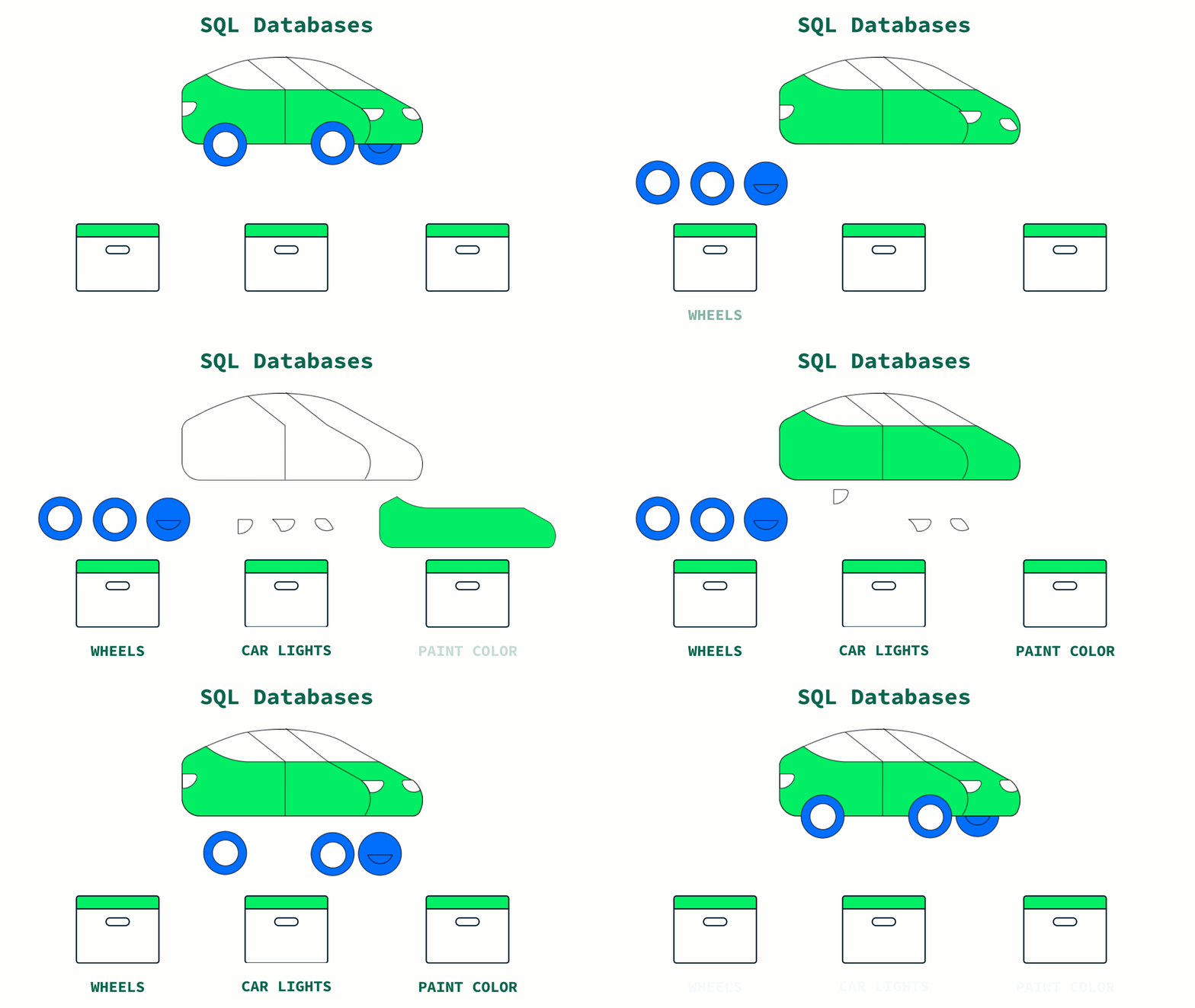
Imagine parking a car as a metaphor for storing data. In a traditional SQL database, we need to disassemble the car in order to store the different components in their own containers with the goal of reducing the space taken up by the car. If a car comes in with a new component that we don’t have a container for, we need to stop and create one. Later on when we want to access the car, we have to find the correct parts and reassemble them.
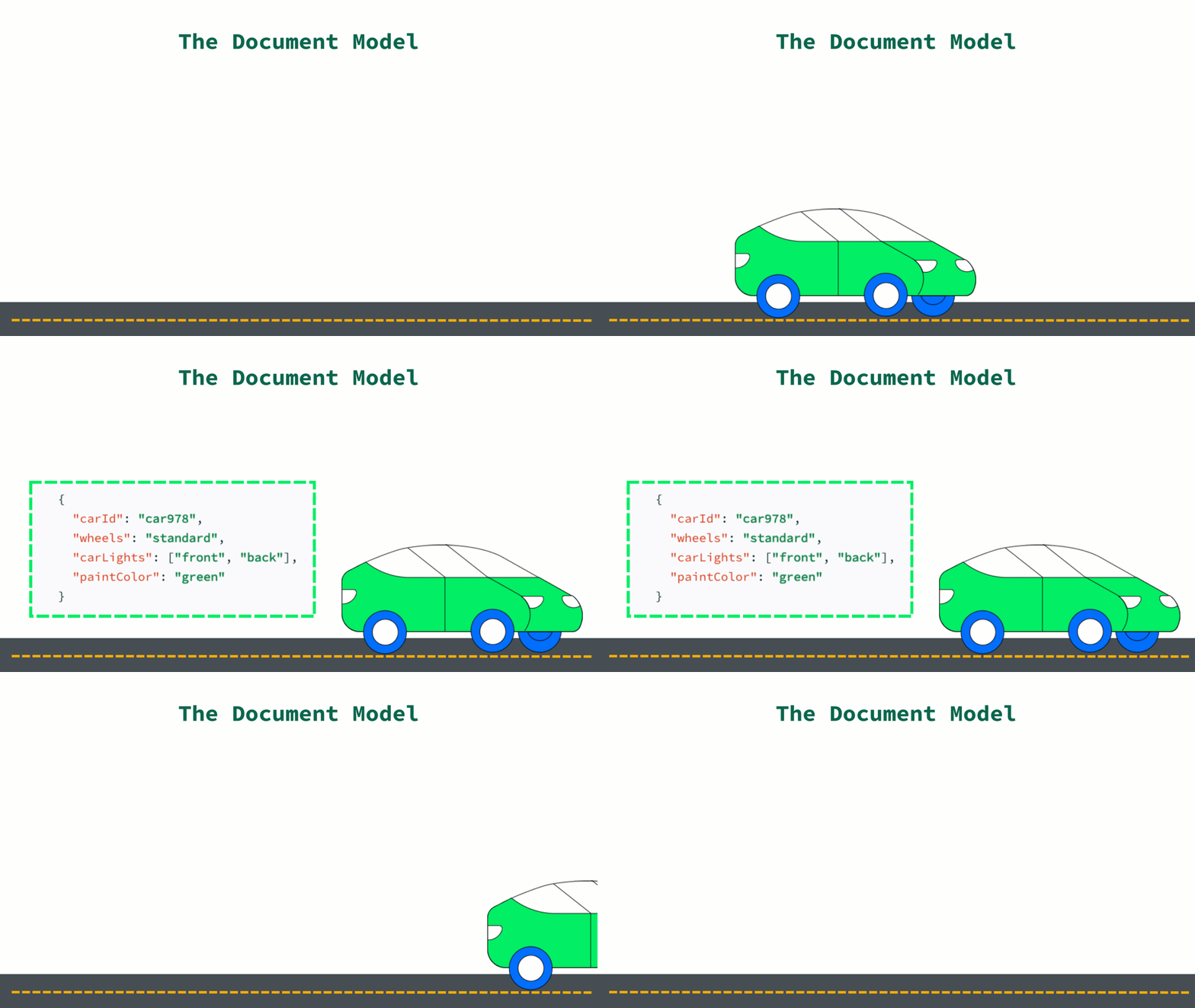
With a document model, we leave the car assembled because data that is accessed together is stored together. We don’t have to worry about new components creating extra work or spending our limited resources reassembling components.
In order to better understand what a document is, let’s look at an example in MongoDB.
{
  "_id": ObjectId(
"5f4f7fef2d4b45b7f11b6d7a"),
  "user_id": "Sean",
  "age": 29,
  "Status": "A"
}
This document represents a user, their id in the system, their age, and their status. You can also note the “_id” field which holds the ObjectID for the document. The _id is used as a primary key; its value must be unique in the collection, it is immutable, and may be of any type other than an array. This example uses an automatically generated value, which is common, but you can manually configure the values as well.
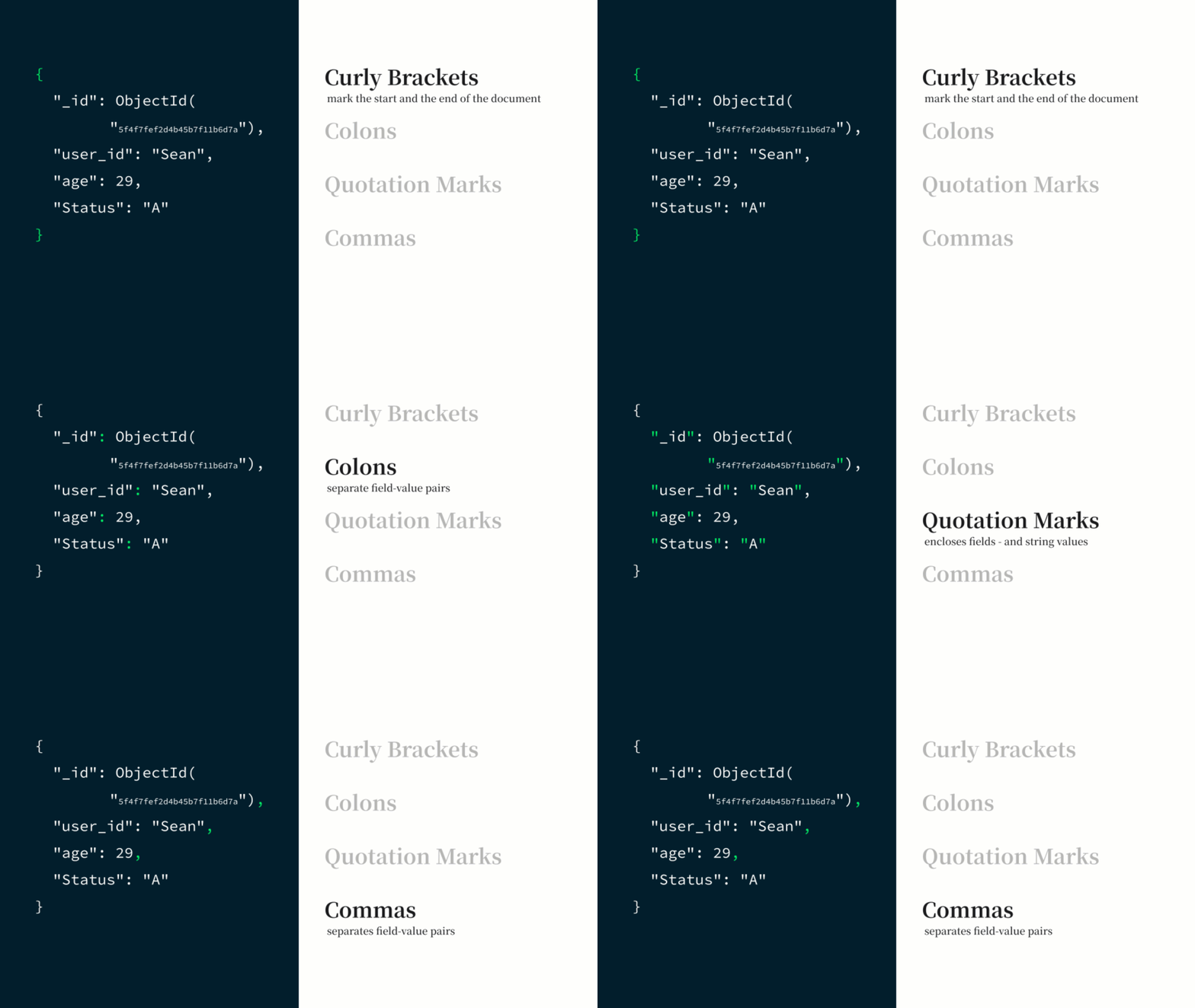
The JSON document syntax uses curly brackets to mark the start and end of the document. The fields (aka keys) are separated from their values by a colon. The field values are wrapped in quotation marks, as are string values. Other values, like numbers, are not. Each field-value pair is separated by a comma within the document.
A collection is a group of documents. Collections typically store documents that have similar contents. In MongoDB, these usually have common fields between documents, but this is not a requirement unless you are using schema validation to enforce specific common fields.
Great job! You’ve learned a lot about the document model and its inherent benefits for working with modern datasets. Here are some key items to keep in mind:
- Flexibility: The document model has a flexible schema and can work well with unstructured and semi-structured data.
- MongoDB’s Hierarchy: Documents > Collections > Database > Node > Cluster
- The Golden Rule: Data that is accessed together, should be stored together!
- Document Model Syntax: You're familiar with the basic pattern used to separate and identify values within the document model.
In the next section we’ll talk about MongoDB’s distributed hardware architecture and some of the benefits thereof!